

Export chart data
When you need to continue analysis in a spreadsheet, export from the individual chart.
Full dashboard or individual chart
| From… | Common formats |
|---|---|
| Full dashboard | PDF, image, Excel |
| Individual chart | CSV, Excel, JSON, JPEG |
Export
- Open the chart from its title or from Charts.
- Wait for the row count and final drawing.
- Open ⋮ → Download.
- Choose CSV, Excel, JSON, or JPEG.
- Open the file and review headers, period, and row count.
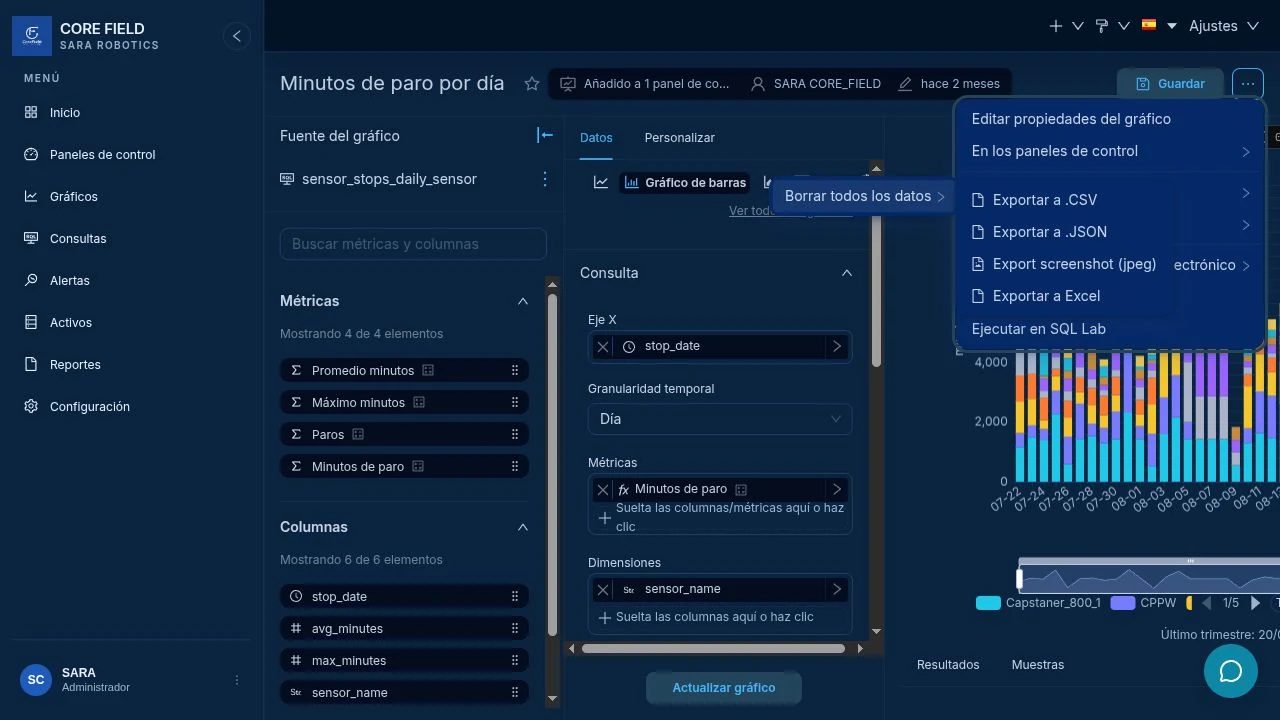
Choose a format
- CSV: simple data compatible with almost any tool.
- Excel: ready to work in a spreadsheet.
- JSON: system interchange or technical analysis.
- JPEG: only the image, without tabular data.
Resultado esperadoExpected result
The file includes timestamp, the expected metric—such as CPPW—and the same period you validated on screen.