

Sign in and find your way
After signing in, you will see the Industrial Cockpit. From here, return to recent work or open any module your role allows.
Recognize the three areas
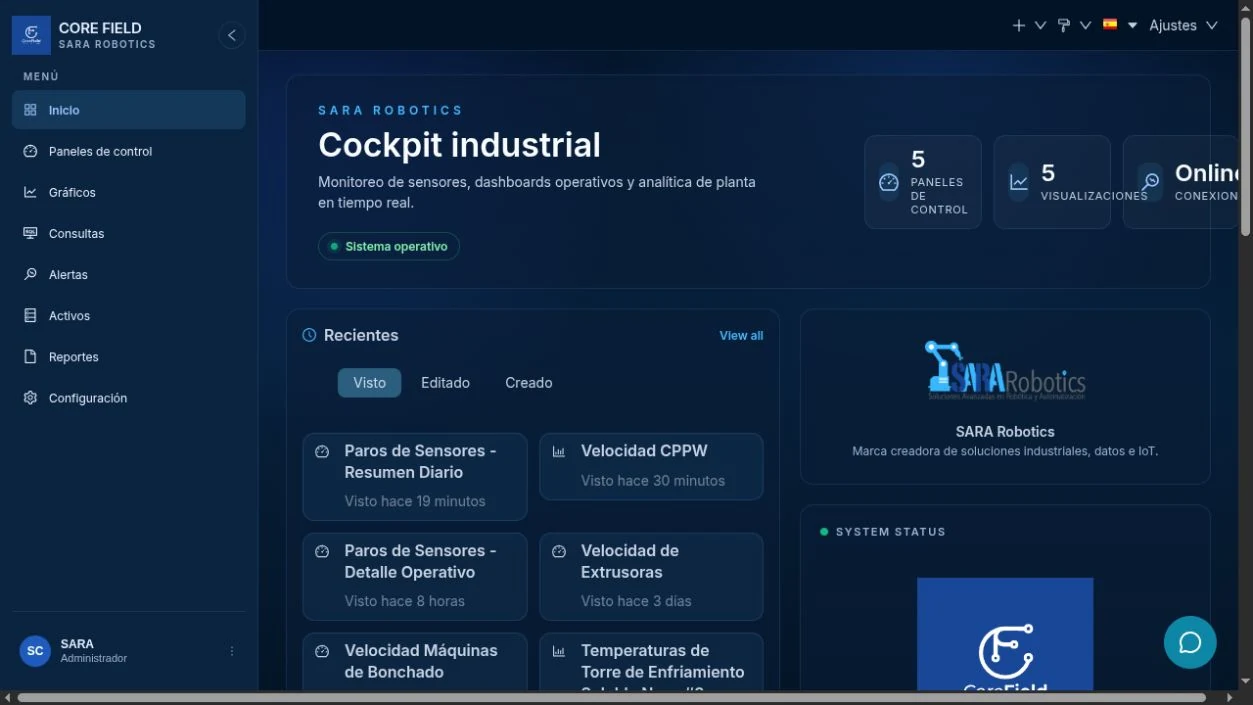
- Side menu. Open dashboards, charts, alerts, reports, sources, and settings.
- Top bar. Shows your account, language, and general actions.
- Workspace. Changes according to the module you open.
What each option does
| Option | Use it to |
|---|---|
| Home | Return to the Industrial Cockpit and recent work. |
| Dashboards | View complete operational screens. |
| Charts | Open individual visualizations or create a new one. |
| Alerts | Notify when a query meets a condition. |
| Reports | Deliver a chart or dashboard on a schedule. |
| Assets | Review data sources, depending on your role. |
| Chat | Ask questions, download data, and prepare drafts. |
Sign out securely
- Open your account menu in the top-right corner.
- Select Sign out.
- Always sign out on shared plant computers.
Resultado esperadoExpected result
You can return home, distinguish dashboards from charts, and find the right module without wandering through menus.